
Version 2.0.3
Latestbuild 10 · 19 September 2026- Your licence now renews quietly once a day while you are online.
- A Mac you free from your key at securemacapps.com/account/ is signed out the next time it goes online.
 CleanSpace
CleanSpace finds what is filling your disk — caches, system junk, old downloads, leftovers from deleted apps and large files you forgot about — shows real sizes, and removes only what you select. Every scan runs on your Mac. Nothing about your files is ever uploaded.
macOS 13 Ventura or later · Apple silicon & Intel · 4.2 MB · Signed & notarized by Apple
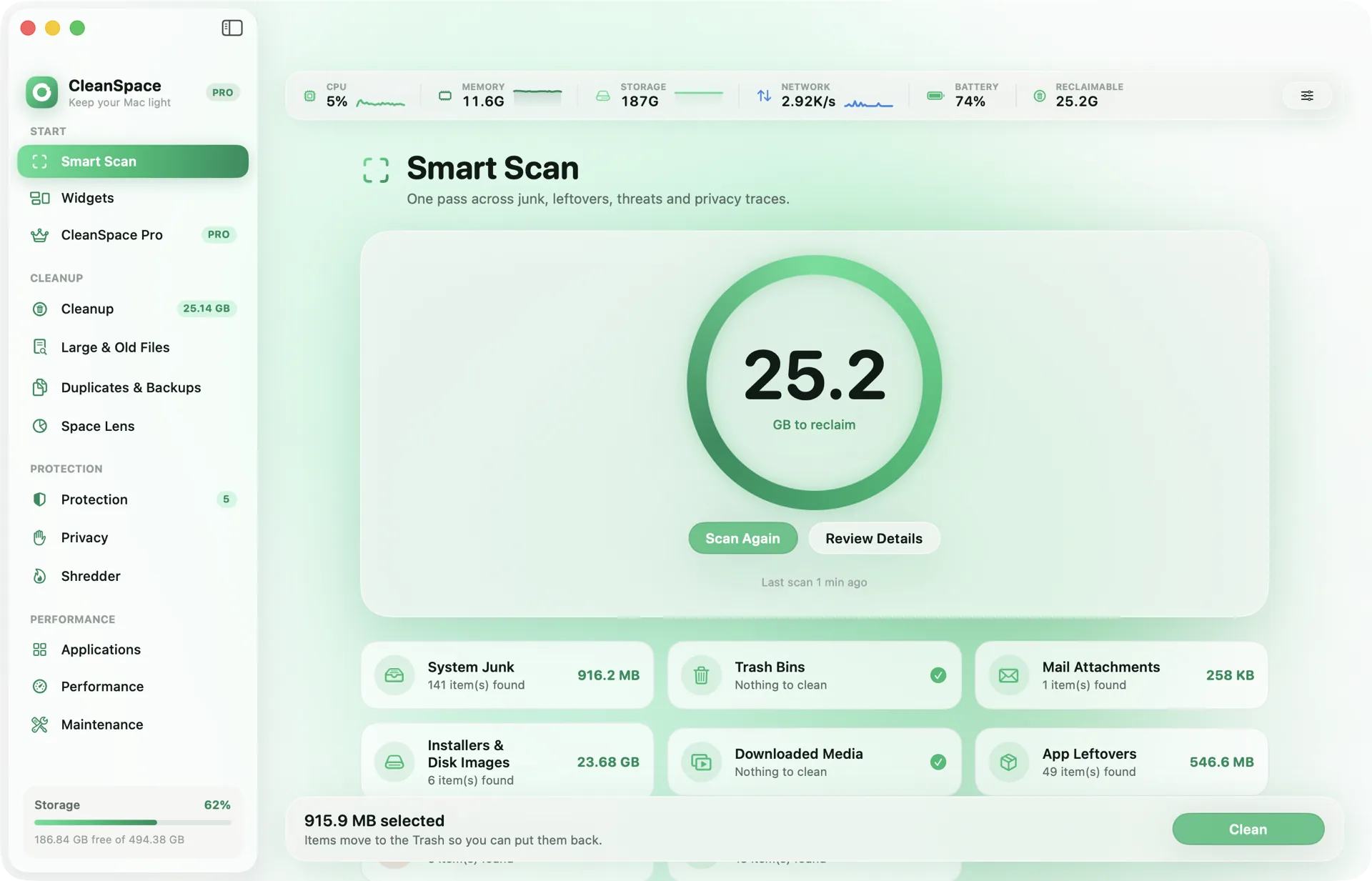
One pass across system junk, caches, installers, mail attachments and app leftovers — with the real size of each.
Nothing is removed until you select it, and removed items go to the Trash so you can put them back.
The biggest files you have not opened in months, heaviest first.
Identical copies and forgotten iPhone backups that quietly eat gigabytes.
A folder-by-folder map of the disk, so you see where the space went at a glance.
Removes an app together with the caches, preferences and support files it left behind.
Checks for documented macOS adware families and suspicious launch items, on the Mac itself.
Clears browser and system traces, and shreds files that must not be recovered.
Flush DNS, reindex Spotlight, thin Time Machine snapshots — one click each, no Terminal.
CPU, memory, storage, network and battery in the menu bar, the app and desktop widgets.
Written to be checked, not believed. Every claim below can be verified with a network monitor.
securemacapps.com/api/v1/activate securemacapps.com/api/v1/refresh securemacapps.com/api/v1/trial securemacapps.com/api/v1/apps/<app>/latest.json securemacapps.com/api/v1/prices Your app tells you when a new version is out. Download it, quit CleanSpace, and drag the new one into Applications — your licence and settings stay.
Most guides list twenty tips in no particular order. Here they are ordered by what they actually recover.
StorageA treemap tells you where the space is. It does not tell you what is safe to delete, and confusing the two is how people break things.
AppsOne is a mature suite on a subscription. The other is a rules engine you buy once. The right answer depends on which trade you would rather make.
AppsThese two apps are usually put in the same category and they are not really competitors. One answers where the space went. The other answers what to do about it.
AppsMost of what cleaner apps charge for, macOS or a free tool already does. Here is the part that is genuinely worth paying for, and how to tell.
SecurityThe category earned its reputation honestly. Some of the apps in it are fine, and there is a short test that separates them.
No. Scanning, sizing and deleting all happen on your Mac. The only request CleanSpace makes is to activate or renew your SecureMacApps licence, and that carries your key and a hash of the Mac’s hardware ID — nothing about your files.
Yes. Scanning is free and shows real sizes, and you can clean up to 500 MB without a subscription. Unlimited cleaning comes with SecureMacApps.
macOS hides some caches (Mail, Safari, Messages) from apps without it. CleanSpace only reads sizes there; it works without the permission and simply skips those folders.
Monthly, yearly or lifetime — one key, every SecureMacApps app on your Mac, including the ones we have not released yet.